
Visual CSS Editor for Modern Glass UI Effects

Modern UI design is all about clean, layered aesthetics, and few styles deliver this better than glassmorphism. If you’re designing sleek user interfaces and want to build translucent, soft-glow effects with ease, a visual CSS glassmorphism editor is exactly what you need.

Instead of guessing CSS values or reloading your browser every time you tweak your stylesheet, this interactive tool lets you visually edit glassmorphism properties like blur, transparency and shadow strength. It’s fast, intuitive and works right in your browser—ideal for frontend developers and designers who want quick results with minimal friction.

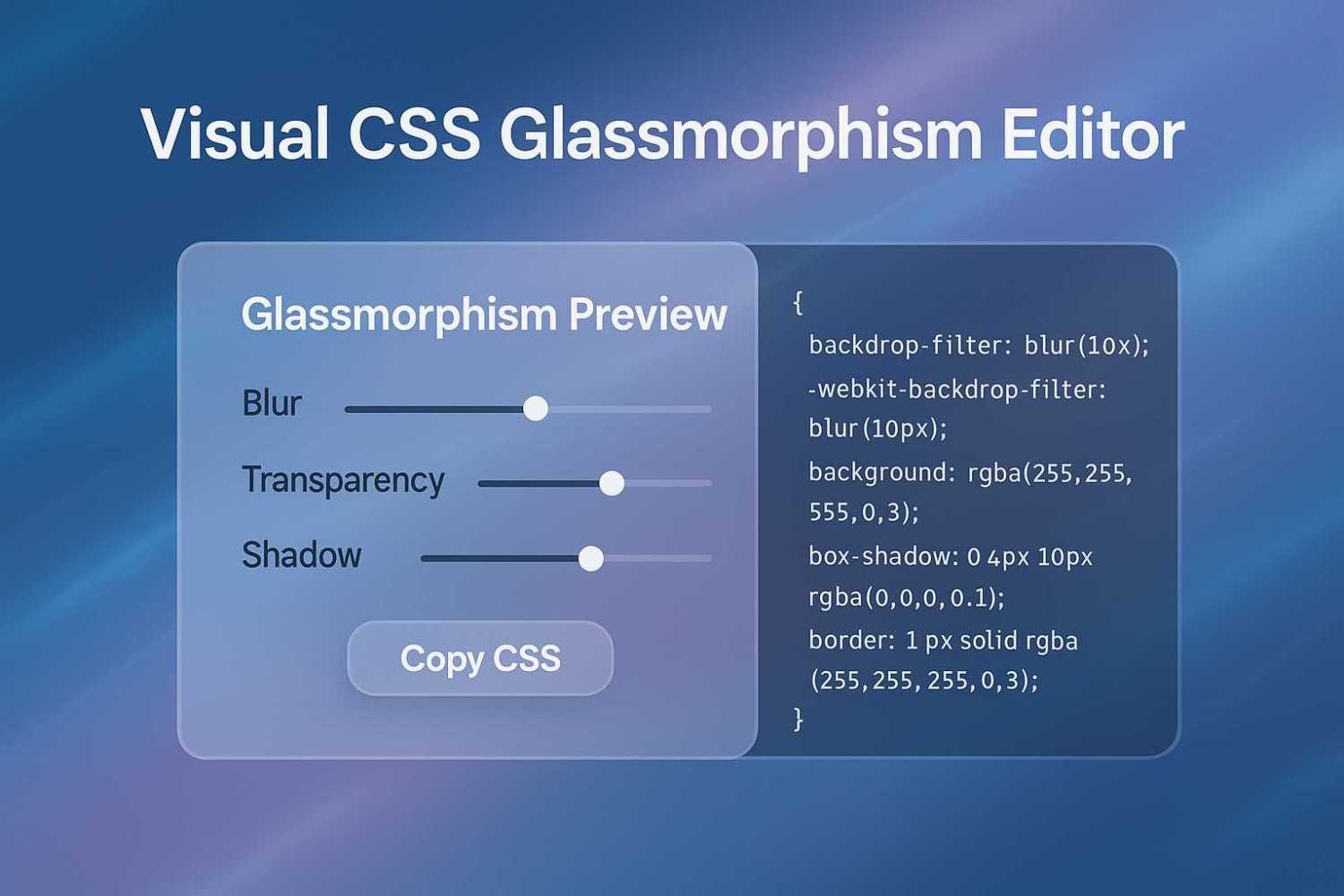
Glassmorphism Preview


This tool allows you to customize the look of a frosted glass effect in real time. Simply move the sliders to adjust blur intensity, alpha transparency and box shadow depth. As you edit, the CSS updates instantly, both in the preview and the code box below it. When you’re happy with the result, hit the “Copy CSS” button and paste it into your stylesheet.

This glassmorphism editor is great for prototyping UI cards, headers, modals and even full-page background overlays. It’s especially useful when designing for interfaces that emphasize soft layering and light backgrounds. You’ll get a clear visual of how the style works against a background, and you can tweak every property without touching raw code.

If the glass blur doesn’t show up, double-check your browser compatibility. Most recent versions of Chrome, Edge and Safari support backdrop-filter, which is key to this effect. The editor includes both standard and webkit-prefixed versions of the filter, so you’re covered.

Use this tool to bring modern, stylish glass effects into your web projects without wasting time guessing CSS values.

Related Articles

Related Questions

Feeling Trapped as a Front-End Developer Forced into DevOps

Hey everyone! I've been a front-end developer for 11 years, and while I've been doing a bit of full-stack work, I've recently been pushed...

How Can Beginners Start Earning Money with Programming?

Hey everyone! I've recently jumped into the world of programming, and it's quite a shift from my previous field. I've always been interested in...

Why Can’t My Parents’ Old LCD TVs Play Movies from USB?

I'm trying to get some movies into a USB drive to share with my parents, but they have older LCD TVs that aren't smart...

LEAVE A REPLY

Please enter your comment!
Please enter your name here

This site uses Akismet to reduce spam. Learn how your comment data is processed.

Latest Tools

Erase Gemini Nano Banana Watermark

Below is a simple content eraser tool. It works very similar to the content aware fill tool that is used in Photoshop. You can...

Keep Your Screen Awake Tool

This simple online stay awake tool prevents your computer screen from going to sleep while you have this page open. It runs entirely in your...

Neural Network Simulation Tool

The Neural Network Visual Builder is an interactive, client-side tool designed to demystify deep learning. It allows users to drag-and-drop neural network layers to...

Ray Trace Simulator – Interactive Optical Ray Tracing Tool

This ray trace simulator lets you visualise how light rays move through an optical system in real time. You can trace beams as they...

Interactive CPU Architecture Simulator

This is an Interactive CPU Architecture Simulator that provides a hands-on, visual learning experience for understanding how a processor executes code. It models a...

AI Image Upscaler

Our AI Image Upscaler allows you to upload any image and instantly increase its resolution using advanced upscaling models. Choose between 2x, 3x or...

Latest Posts

Latest Questions